OCR for scanned PDFs
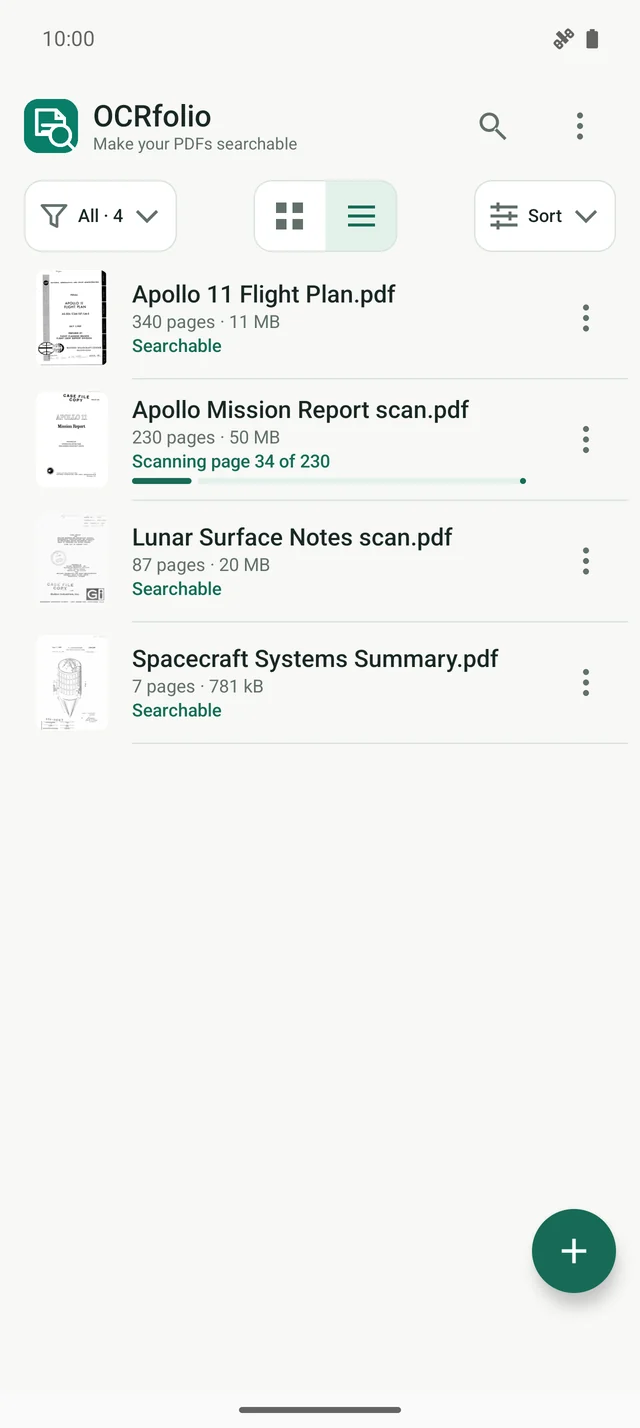
PDFs without usable text are queued for on-device OCR after import. Follow page progress and estimated time remaining while processing continues in the background. PDFs with usable embedded text are indexed without OCR. Search becomes available as their text is indexed.
Your original stays unchanged
Work with PDFs of up to 999 pages. The library keeps your original as it is and adds a separate searchable copy. Export a copy anywhere with the Android save dialog.
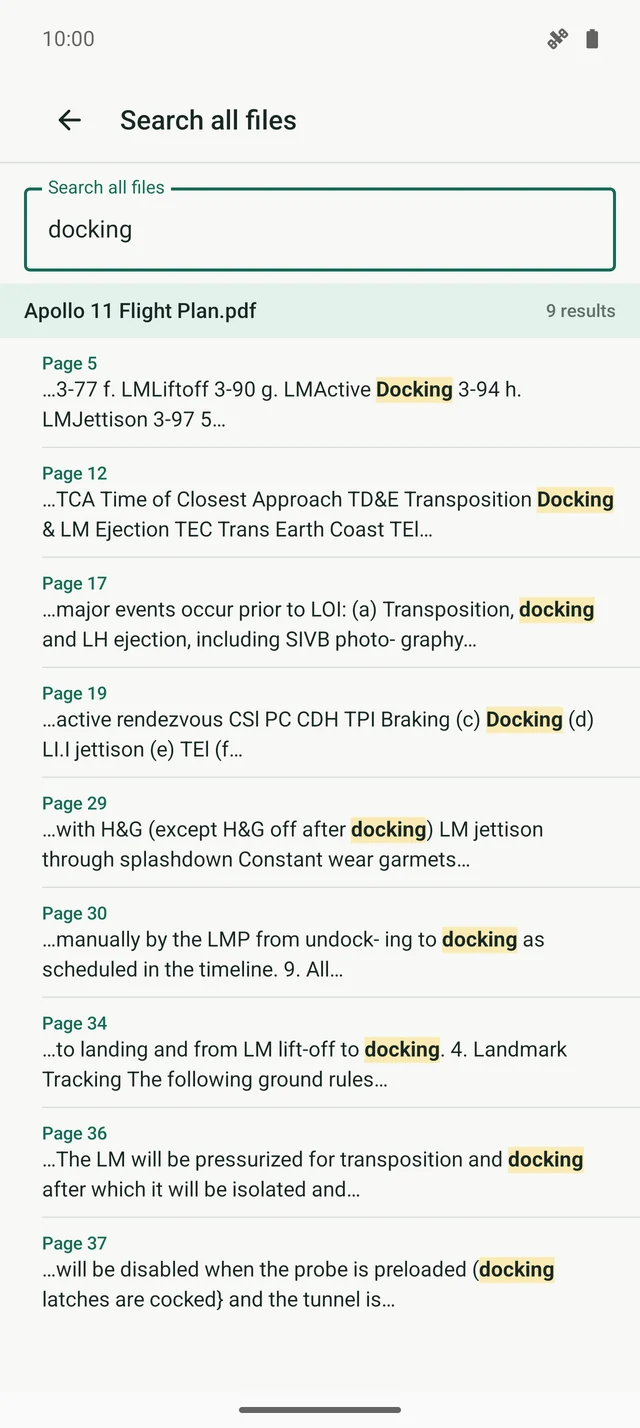
Find recognized text across documents
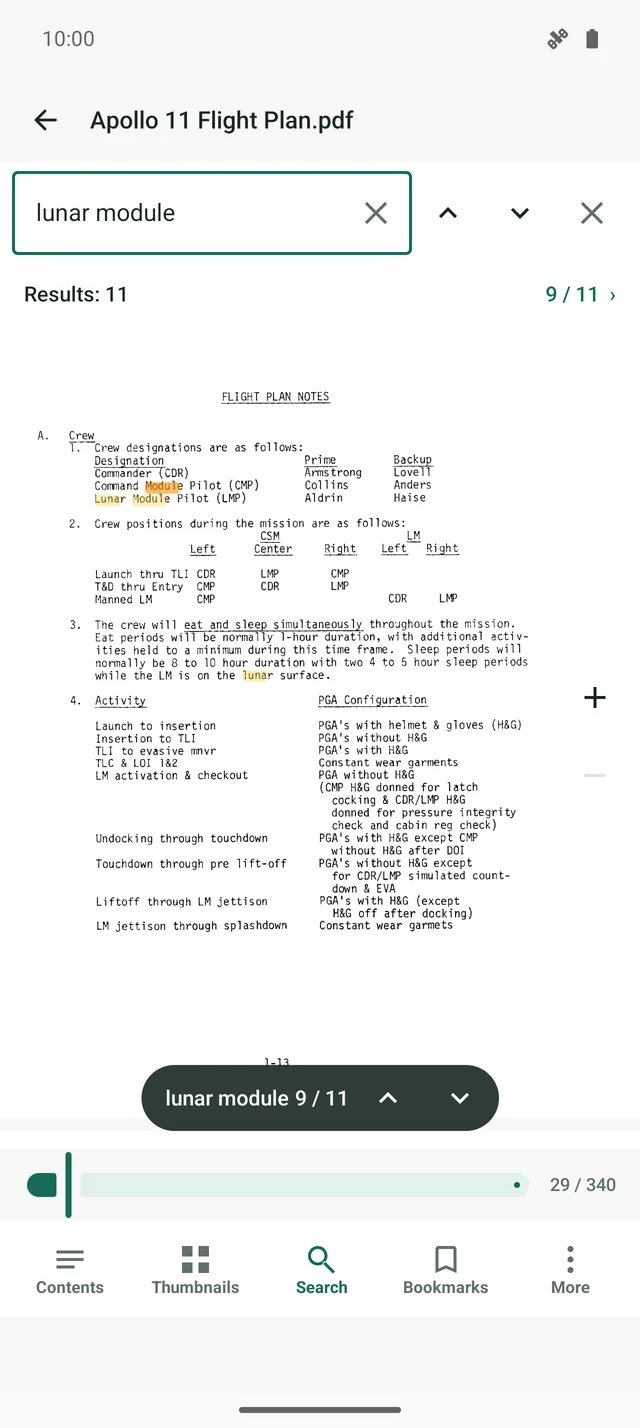
Search the PDFs indexed in your library. Matching pages are grouped by file. Open a result at its page and see matching words highlighted.
Select, copy and read
Select text with handles and copy it. Use contents, thumbnails, bookmarks and go to page. Choose single page, two pages or continuous scrolling, with a dark theme.
A library for your PDFs
Keep imported PDFs and their searchable copies together. Organize them in folders, select several files at once, and drag them where you want them.
Documents stay on your device
Recognition uses models inside the app. There is no account, and your PDFs and their text are not sent to any server.
 OCRfolio